DESIGN × CODE × CURIOSITY

Edward
Stanley.

Web creator. Always exploring.

I build websites with a little personality and a lot of attention to detail. Come in, look around, and try something.

Mikroskil / S1 Sistem InformatikaCurrently studying & building
INTERACTIVE IDES—001
EDWARD’S STUDIO
Edward
Stanley↗

WEB CREATOR & STUDENT

MIKROSKILPORTFOLIO 001

Drag to swing · Click to flipKeyboard: arrows to move, Enter to flip

A PORTFOLIO YOU CAN PLAY WITHSCROLL TO EXPLORE ↓
MAKE IT YOURS
Small details. A different feeling.

01 / SELECTED WORK

One project.
Every detail considered.

A working project you can explore, from the first impression to the final interaction.

02 / WHAT I CAN HELP WITH

A focused website,
for your next idea.

Practical frontend work for a clear online presence. Scope and deliverables are agreed before the project begins.

01

Landing pages

A clear introduction to your business, service, or personal brand—with purposeful sections and mobile-friendly layouts.

02

Product catalogs

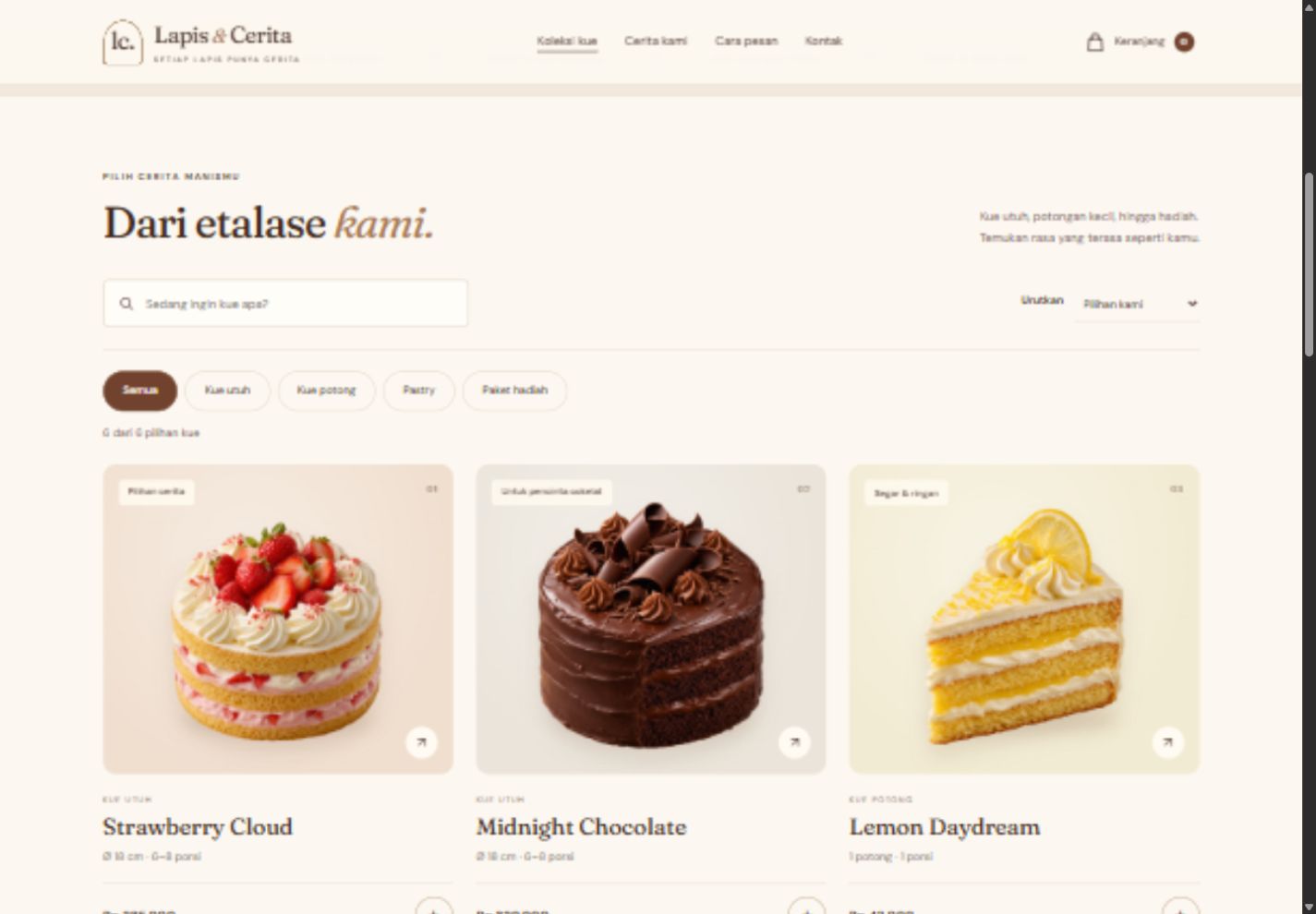
Let visitors browse products, filter their options, and prepare an inquiry. Inspired by the working bakery demo.

03

Website refinements

Thoughtful improvements to typography, spacing, product visuals, and everyday interactions on desktop and mobile.

THE PERSON BEHIND THE PIXELS
Edward StanleyWEB CREATOR & STUDENT

03 / A LITTLE ABOUT ME

Curious by nature.
Careful by design.

I’m Edward Stanley, an undergraduate student in Sistem Informatika at Mikroskil. I’m building my portfolio through practical web projects, with a focus on visual clarity and useful interactions.

My workflow combines HTML, CSS, and JavaScript with AI coding tools such as Claude Code and Codex. I review the result and test core interactions on desktop and mobile.

Education
S1 Sistem Informatika · Mikroskil
Currently studying
Toolkit
HTML · CSS · JavaScript
Claude Code · Codex · Cloudflare Pages

04 / HOW WE CAN WORK TOGETHER

Clear steps. Thoughtful results.

A straightforward approach, with room for your feedback.

  1. 01

    Understand

    Discuss your goal, references, content, and the features you need.

  2. 02

    Design & build

    Create the layout, build the interactions, and share a working preview.

  3. 03

    Refine & deliver

    Review feedback, check responsive behavior, and hand over the agreed files.

05 / YOUR IDEA, NEXT

Let’s make
something clear.

Tell me what you’d like to build. Prepare a short brief here, then share it with me through Fiverr.

Project discussions and orders are handled through Fiverr.

A good start is a clear brief.

Nothing is sent or stored. You can review and copy the text.

READY FOR THE NEXT STEP

Your project brief.

Paste this into your Fiverr conversation. No message has been sent.